
Windows Guide
Command line (CLI) on Windows
Run a ProxyBridge profile without the window using ProxyBridge_CLI.exe on Windows: options, verbosity levels, examples for scripts and servers, and what the CLI does and does not read from a profile.
Command line (CLI) on Windows
ProxyBridge_CLI.exe runs a profile headlessly: no window, just a console. It is meant for servers, remote sessions, scripts and test automation, where you want the same rules as in the app without opening the app.
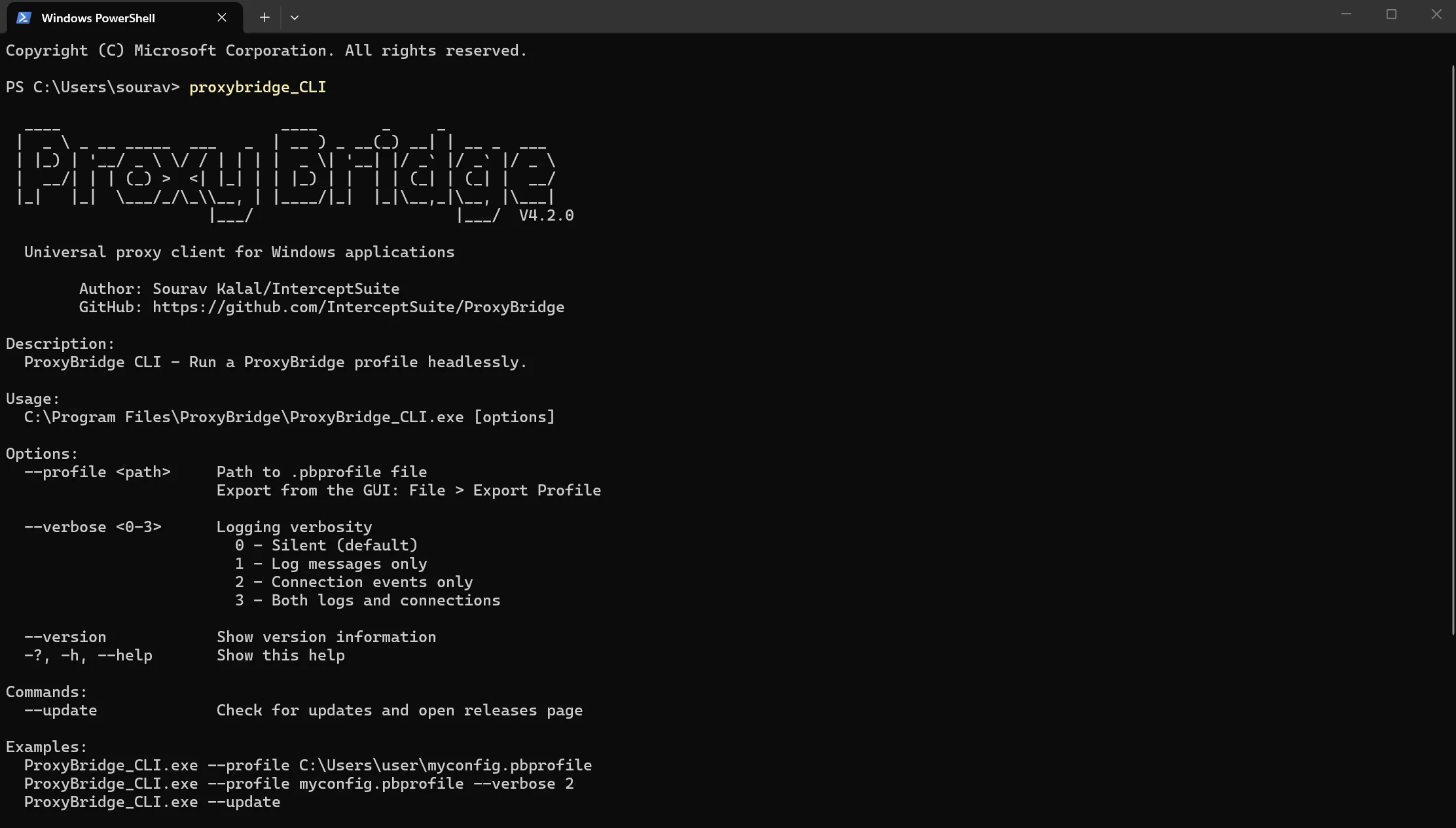
The installer adds the install folder to your PATH, so you can run ProxyBridge_CLI from any terminal.
Before you start
- Run the terminal as Administrator. The CLI loads the engine itself instead of using the background service, so it needs administrator rights. Right-click PowerShell or Command Prompt and choose Run as administrator. Without it the CLI stops with "Administrator privileges required".
- Close the ProxyBridge window first. Only one of the app or the CLI can run at a time. A second one refuses to start.
- Make a profile in the app (proxies, rules), then use it with
--profile. See Profiles.
Usage
ProxyBridge_CLI.exe --profile <path to .pbprofile> [--verbose <0-3>]
Options
| Option | Meaning |
|---|---|
--profile <path> |
The .pbprofile file to run. Create it with Profile > Export Profile... in the app. Your saved profiles are also at %APPDATA%\ProxyBridge\profiles\<name>.pbprofile |
--verbose <0-3> |
How much to print (see below). The default is 0, silent |
--version |
Print the version and exit (no administrator rights needed) |
-?, -h, --help |
Show the help |
--update |
Check for a newer version and open the releases page (no administrator rights needed) |
Verbosity
| Level | Prints |
|---|---|
0 |
Nothing after start-up (default) |
1 |
Engine messages, each starting with [LOG] |
2 |
One line per connection, each starting with [CONN] |
3 |
Both |
Example output at level 3:
[LOG]  Added rule ID: 1 for process 'chrome.exe' (Protocol: 0, Action: 0, ProxyConfigId: 1, Domains: *)
[CONN] chrome.exe (PID:10516) -> 142.251.43.35:443 via Proxy SOCKS5://127.0.0.1:1080
[CONN] curl.exe (PID:4120) -> 93.184.216.34:80 via Direct
If the console cannot keep up with a very busy network, the CLI drops lines instead of slowing your traffic down and prints how many were dropped.
Examples
# Run a profile quietly
ProxyBridge_CLI.exe --profile C:\Users\me\work.pbprofile

# Run a saved profile from the app's profile folder, and show connections
ProxyBridge_CLI.exe --profile "$env:APPDATA\ProxyBridge\profiles\work.pbprofile" --verbose 2

# Show engine messages and connections, for troubleshooting
ProxyBridge_CLI.exe --profile work.pbprofile --verbose 3

# Version and updates (no administrator rights needed)
ProxyBridge_CLI.exe --version
ProxyBridge_CLI.exe --update
Press Ctrl+C to stop. ProxyBridge shuts down cleanly and traffic goes back to normal.
Run it for a single test session
A common pattern in test scripts: start the CLI, run the tool under test, stop the CLI.
# elevated PowerShell
$pb = Start-Process ProxyBridge_CLI.exe -ArgumentList '--profile', 'C:\tests\burp.pbprofile' -PassThru
Start-Sleep 3                     # let it start
.\app-under-test.exe              # its traffic now follows the profile's rules
Stop-Process -Id $pb.Id           # stop routing
What the CLI reads from a profile
The CLI uses the routing part of a profile:
| Used | Not used |
|---|---|
| Proxy servers (type, host, port, login, Let proxy resolve DNS) | Log filters |
| Rules: applications, hosts, domain names, ports, protocol, action, which proxy, on/off, Also proxy localhost traffic | Log Every Connection, Auto Clear Logs |
| Enable Traffic Logging | Language, text size, Close to Tray |
A profile must contain at least one rule. The CLI limits are 32 proxy servers and 256 rules.
GUI or CLI?
| App | CLI | |
|---|---|---|
| Administrator rights | Not needed (uses the service) | Needed |
| Needs a desktop | Yes | No (works over SSH or a remote shell) |
| Live Connections, log filters, tray | Yes | No |
| Edit rules | Yes | No: edit the profile, then restart the CLI |
| Both at once | No | No |